My good experiences with other SwitchBot devices over the years encouraged me to try the SwitchBot Hub 3 for some extra functionality with a SwitchBot Lock Ultra Touch Combo that I purchased recently. What is really nice about this unit is that it does so many different things. I like having temperature displays and remote monitoring of temperature, but I also like the direct access programmable buttons on the unit… As it did in my case, if you have a use for one feature on the Hub 3, you will likely also find something else it can do for you, making it a great value at a reasonable price. The unit is well made and feels sturdy while also being compact and lightweight. I am finding more and more SwitchBot device solutions as they expand their already very broad ecosystem, and it is nice to consolidate devices into a single app.
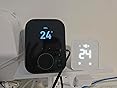
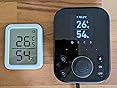
The Home Screen on the Hub 3 is customizable to display time, temp & humidity with the built in sensors or external sensors, the status of other SwitchBot devices, locks, etc. There are 4 programmable soft keys on the Hub 3, a rotary dial, and some fixed function keys for navigation. The screen can be dimmed or turned off and can be motion sensitive, if desired, to turn back on upon approach, which the operation and sensitivity of is programmable. The connection range from SwitchBot devices to the hub is impressive, as well as WiFi connectivity to the router. The Hub 3 will control infrared devices as well, for example, giving the ability to adjust stereo volume or channels from another room from within the app on a customizable screen. The range of the infrared emitter is excellent. This is an awesome feature that works really well.
I am super happy with this setup, especially the programmable soft keys. I have a multi room garage where the lights are all plugged into outlets via extension cords that aren’t wall switch controlled. I have gotten around this in the past by using the SwitchBot app, which is excellent, to turn the lights on/off from the app. Now, I have several other better solutions. The Hub 3 mounts to the wall, on a table, or anywhere I like. The 4 soft keys available to control devices or directly enter into menus in the Hub 3 are incredibly handy. I programmed several soft buttons on the unit to operate all of the garage lights in tandem, so now I have a physical “switch” mounted on the wall at the entry door with no building wiring required. In addition, utilizing Scenes and Automations in the app to control the SwitchBot Switch (a plug in device that has a physical switch, an app controlled switch, and even monitors energy usage) I can have the garage lights turn on automatically when I activate the lock keypad or open the door. I have them programmed to turn off late at night if I forget.
I need to stress the level of customization that is easily available in the app between the Hub 3, lock, lock keypad, Switches… and all of the SwitchBot devices. If you can follow the menus you will find many options, most with descriptions of what the option does and how it works.
The app has many methods of customization and integration with home control systems from Apple, Google, Amazon, Matter, etc. The layout of the SwitchBot app is easy to work with and it is stable… this is important because so many good devices come with poorly designed and glitchy apps.
If I find any issues I will report back, but at this point I am very satisfied with the solutions the product offered.










Report