


Price: $33.99 - $29.99
(as of Jul 04,2025 09:28:49 UTC – Details)
Buy Now
Product Description

Experience the Shape of Day-Long Comfort 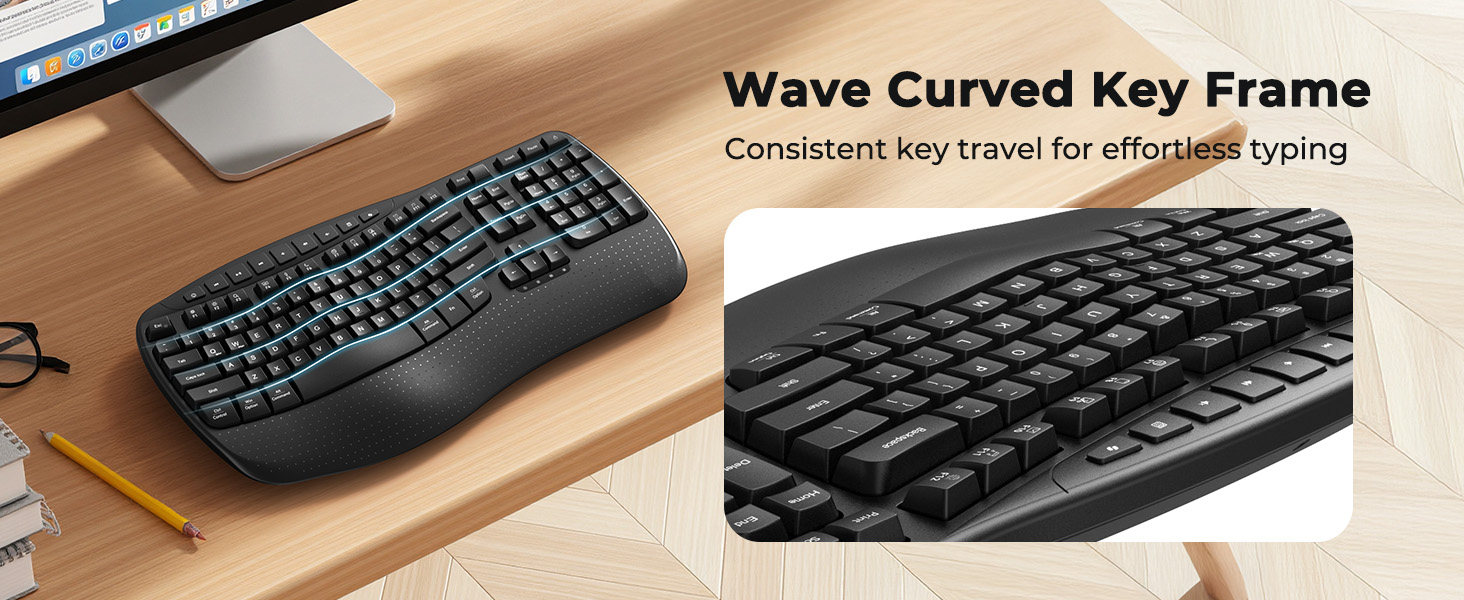
 Indicator Light
Indicator lights provide clear visual cues so you can easily keep track of your keyboard’s operation at a glance.
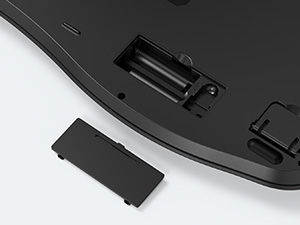 Long Lasting Battery Life
2 AAA batteries (not included) are needed. The keyboard has smart power – saving, auto – sleeping after 20 mins idle to extend battery life.
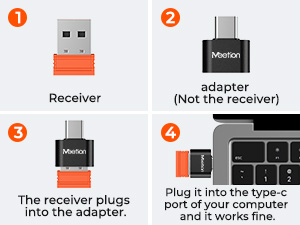 Share One Receiver
The orange USB-A receiver is stored in the keyboard’s battery compartment, while the black USB-C adapter is packed in the transparent accessory bag.
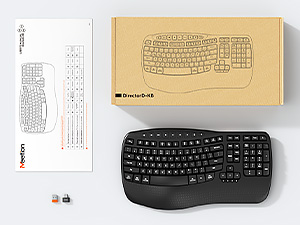 Packaging Includes
1* Keyboard, 1* User Manual, 1* USB-A, 1* USB-C adapter.
Please carefully check all the accessories upon receiving the product.

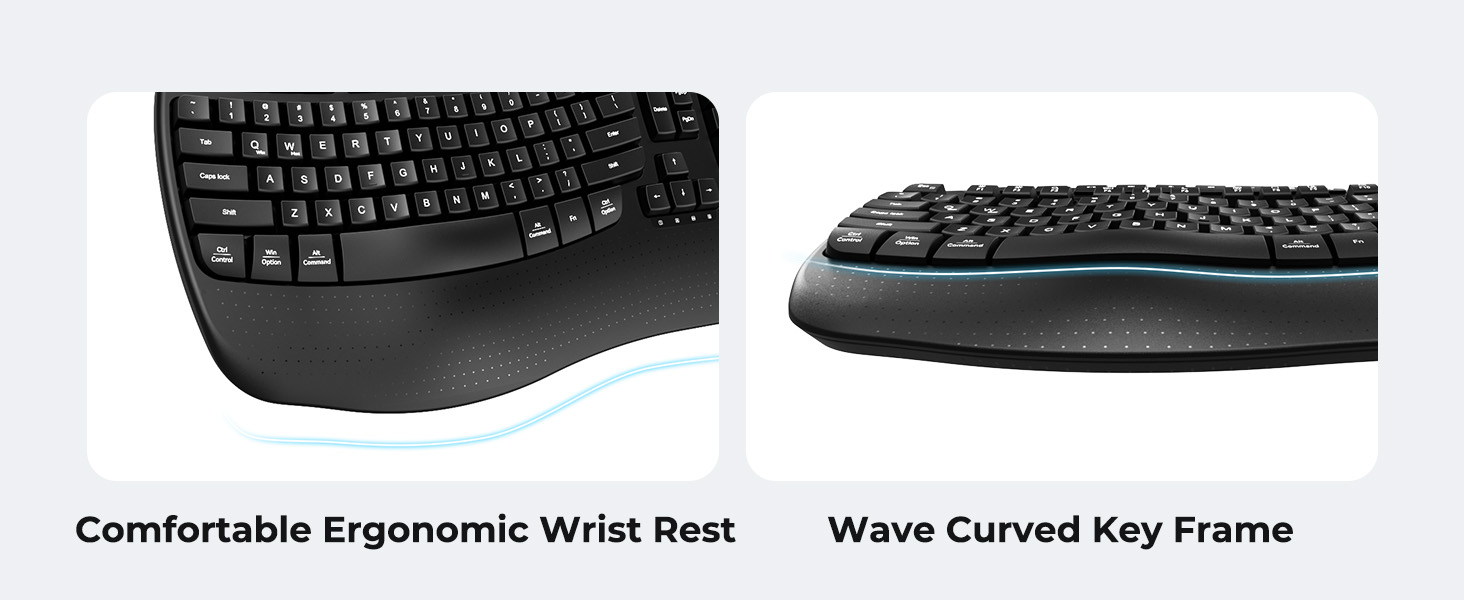
1 All-Day Support
2 Ergonomic Wrist Rest


Love at First Typing


Since I’ve never used an ergonomic keyboard before, is it likely to be difficult for me to get used to it?
Our wave keyboard blends ergonomic benefits with traditional keyboard familiarity. It eliminates the learning curve of split keyboards. New users can quickly adapt, typing comfortably while staying productive.
There’s a problem with my keyboard that I can’t solve, what should I do?
Whatever your problem, click on the store to contact our staff immediately or find “Support” using the last page of the user card. We will be 100% responsible for each of our products and customers.
How can I tell when it’s time to replace the batteries in the keyboard?
When the keyboard is running low on battery power, the power indicator light located below the direction keys will start to flash. This serves as a reminder for you to replace the batteries.
How to switch between Windows and macOS? How to use this keyboard?
You can press FN+Q or FN+W to switch between Windows and macOS systems.
1.Please insert the batteries into the keyboard.
2.Plug in the USB-A receiver and turn on the switch to use. (USB-C is not the receiver, it is the USB-C adapter)
What is included in the package? Are there batteries inside?
1* Keyboard, 1* User Manual, 1* USB-A, 1* USB-C adapter. Batteries not included.
The orange USB-A receiver is placed in the battery compartment of the keyboard, and the black USB-C adapter is in the transparent accessory bag.
【FEEL THE WAVE】The keyboard adopts a scientific wave key design, which is carefully crafted based on the natural movement trajectory of the fingers, so that the fingertips can accurately reach all the keys with every strike. The ergonomic curved surface layout perfectly fits the curves of your hands, guiding your wrists and fingers to stretch naturally, creating the most comfortable and relaxed typing position.
【NEW ERGONOMIC DESIGN】Our wave keyboard combines the advantages of ergonomics and retains the familiarity of traditional keyboards. Therefore, you don’t need to spend extra time adapting to a new typing method. Say goodbye to the complex learning curve of split keyboards. Even users who are new to ergonomic keyboards can quickly get the hang of it. You can enjoy a comfortable typing experience without compromising your work efficiency.
【WIDE PALM REST OFFERS MORE SUPPORT】The wireless keyboard is equipped with a wide wrist rest and an adjustable foldable stand. It can ensure that your wrists stay in the optimal position, thus improving your posture and reducing fatigue. It is extremely suitable for office workers who need to work for long hours and can enhance comfort during prolonged typing.
【RELIABLE CONNECTION】With the familiar traditional key layout and 2.4GHz wireless receiver, it is truly plug and play, easy to plug in and start working efficiently.The USB-A receiver is located in the slot inside the keyboard’s battery compartment, and the UAB-C adapter is in the accessory pouch inside the box.Be sure to check all the accessories carefully, and don’t throw away the box in case you lose the important accessories, which may affect the use!
【INTELLIGENT POWER SAVING】The ergonomic keyboard is powered by two AAA batteries (not included) and features an auto-sleep mode that helps extend battery life by hibernating after 20 minutes of inactivity. Simply press any key to wake up.
【DUAL SYSTEM LAYOUT】This curved keyboard has a dual system layout for Mac and Windows and is compatible with any device with a USB-A or USB-C port. You can easily switch between Windows and macOS by pressing FN+Q or FN+W.
Buy Now