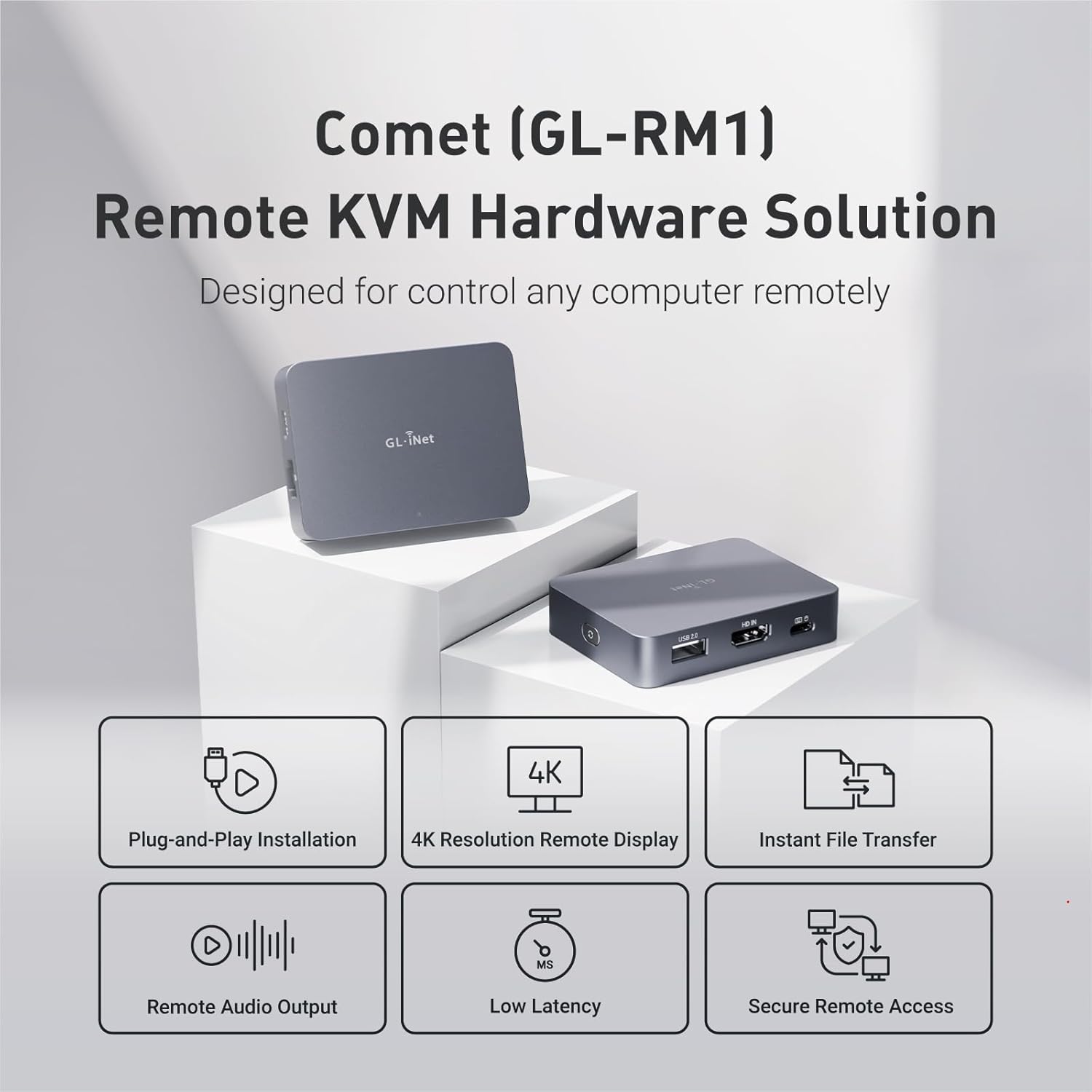
Well constructed, aluminum case. With two small exceptions, it includes all of the required cables you will need out of the box. The two exceptions are that if your host only has USB-A, you will need to either plug the Comet into a power adapter that will provide the proper power required and then use the USB-C to USB-A cable that is normally used to power it, order you’ll need to purchase another USB-C to USB-A cable or adapter. Second, the video port is HDMI – which is excellent, and is love that it is a full sized HDMI port – however this means plugging it into a device that requires VGA, DVI, or DisplayPort will require the use of an adapter and then setting the EDID to one that conveys the lack of Audio support and a possible lower resolution to the web interface / app. Ultimately a minor inconvenience, but it would be nice if it came with an assortment of adapters on a key ring or something with tested EDID information. As VGA, and DVI don’t carry audio i haven’t found any workaround to have audio be available in those instances, but since those are both quite rare these days it’s a minor problem. Dell Servers have VGA only, but with servers you rarely need the audio as is, and the newest generation of Dell servers have an optional Mini DisplayPort so theoretically they should be able to carry audio but I don’t have one so I can’t test that out.
Straight out of the box, it was running the V1.1.0 release2 Firmware. Starting the firmware upgrade was straightforward and to the point however it transitions to a loading screen that says to not refresh the page while it is being updated and that it will take several minutes for the update to complete – it just sat there and never refreshed or went back to the GUI so after waiting half an hour I just restarted the Comet and reopened the GUI to see if I bricked it or something – it was fine and was now using the latest version of firmware, which at the time of writing this is V1.2.3 release1. I believe the update needed to force a reboot or the update screen should instruct the user to perform that step after a certain amount of time.
As stated in their documentation, the default resolution and EDID is set to 2560x1440p / GLKVM / 60 Hz, and I have confirmed this matches what MacOS reports. At that resolution, I did find that even when on-prem and using the same local network, that resolution was a bit too high for its ability to encode on the fly for video or lots of changes on the screen (I noticed this first when seeing that the screensaver had turned on and that it wasn’t able to handle the “video” stream very well. Reducing the resolution and using one of the preloaded EDID for either “1920×1080 / ASUS / 60Hz” or “1920×1200 / Samsung / 60Hz” reduced this effect greatly, though it is still a little choppy – it’s passable for remote use via a budget friendly IP KVM though.
The On-Screen keyboard when the Comet is connected to a Mac Mini (M1) displays as a Windows keyboard and MacOS shortcuts don’t work. I tried closing out (normally “Command + Q” and attempted using all three modifier keys – Alt, the Windows “Meta” key, and the CTRL keys – to no avail and even tried using individual taps and also multitouch taps on the virtual keyboard. I was going to submit a bug report on their GitHub repository for this but noticed someone already reported the issue and they said they are going to work on it.
Outside of the little quirky “bugs” that are likely going to be fixed soon, and the fact there are no adapters included for different display types (VGA, DVI, DisplayPort), it’s awesome and even with those bugs and lack of adapters, I would still buy it again (see last paragraph)
My wish list for things they can change or be improved upon:
– On the next model / revision of this, please put all of the ports on one side of the device as dealing with this many cables coming out of two different sides is quite the pain to deal with.
– For this current model, please design a purpose built plastic cable router or make some custom cables to help redirect all of the cables in an orderly fashion to one side of the device.
– Design and sell a travel case that fits everything perfectly, including the display adapters (if needed). The only case I can find doesn’t take that into account.
– Design a model that integrates a LTE/5G Cellular Travel Router with an additional 1Gb switch port or two, WiFi (useful if cellular and Ethernet connectivity isn’t an option, and could utilize the wireless relay feature already available on the other Travel Routers sold by GLiNet), and a screen to display the KVM IP address and Router IP. This would create the ideal Internet-connected KVM system, suitable for practical use in various locations. The model should be user-friendly, even for those who aren’t tech-savvy, allowing operators in the field to easily plug it in to enable a remote technician to work on it.
Overall, I’m quite impressed with this device. It’s a cool, handy, and nice little budget-friendly addition to my toolkit. I had ordered two originally from GL.iNet directly through their website, but those aren’t expected to arrive until tomorrow, and I included the ATX control accessory, so we’ll see how that goes. In any case, I recommend this for anyone looking for a budget-friendly option.