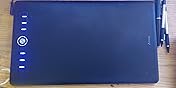
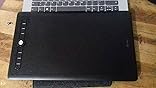
I've been doing more and more graphics work, developing and learning to digitize embroidery designs. I've also been curious to work on my digital drawing skills which are, at this point, relatively non-existent. After doing a bit of research and budgeting, I decided to give the Artisul a try.
Overall, I'm fairly happy with the purchase. It's relatively easy to install and use, and has shown that it works fine with my embroidery program (Wilcom Hatch). No lag, and it has been easy enough to program the shortcut keys as I discover what functions I need quicker access to. There's a bit of a learning curve, but it's progressing.
For drawing, I have tested three different programs: Corel PaintShop 2019, Corel Painter 2020, and Clip Studio Paint (Pro). There was noticeable lag when using PaintShop. Doing research, this appears to be a consistent problem with most tablets in PaintShop, and not just this one. Lag aside, it was a relatively smooth experience, and could probably be dealt with, if that was the program of choice.
Corel Painter has been a bit of an odd one. When I first booted up the software, I had difficulty in getting the pressure settings regulated; I had to bear down much harder than is healthy to get anything to show up on screen — it didn't matter how I fine tuned the settings. Unable to get it sorted with some additional troubleshooting, I uninstalled and reinstalled the driver. That seemed to fix the issue. Now, however, I will get random straight lines that sweep down from the cursor. Research shows me that this was an issue at one point with Wacom, and one that was remedied in a driver update. The Artisul update earlier this year apparently fixed a lot of problems. I hope this may be one for the next update.
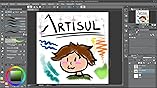
So far, the smoothest experience has been with Clip Studio Paint (Pro). No issues with lagging or pressure; no random lines, or anything else. Just… smooth as silk and easy to work with.
Thus, relatively happy with the purchase and results. For my embroidery, it does exactly what I wanted it to do. For digital artsing, it's a mixed bag for me. Because I am more accustomed to the Corel products — and have active licenses for them — they are my preferred programs, so the issues there are a bit disappointing. Some, I'm sure, can be mitigated a bit, and I'll have to learn my way through them. Others, I'm afraid, are down to driver issues, and I'm not certain how responsive the parent company will be. If, however, you rely on Clip Studio Paint, I'm sure you'd find this an excellent budget solution.









Report