Overall, I think this product is a solid deal. I've included a history of how I've acquired it, but you can scroll down if you just want to Pros and Cons.
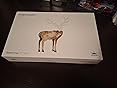
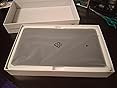
In the box, you get everything you need to get started, as well as a card to direct you to find the latest drivers as opposed to a disk that may still contain some bugs. I've used Wacom Tablets almost exclusively in the past, ranging from Bamboo Funs to the Intuos5 Small (which was my main device for perhaps 7-8 years). I've always been tempted to try Huion Tablets, however, since I had the Wacom Tablet, I wasn't sure about switching quite yet.
Only a few months ago, my Wacom stopped working, and my first thought was to try Huion. The prices were phenomenal and I had heard so many good reviews from friends and online reviews.
After having the Tablet for a good amount of time, I'm here to give an honest review:
PROS
– a great size for portability: this Huion has about the same active area (area you can draw on) as my old Wacom and is approximately half as small. This means I can put it in a smaller backpack and take it with me more easily, and without worry about the thought of cracking or bending it in transit.
– Durable: I'd say my little drawing buddy is pretty durable. A thick plastic material that I really enjoy and the pen has a good weight to it.
– Passive Pen: you don't have to charge the pen, which is something you did have to do in older Huion Tablets.
– Drivers: Once you get the drivers to work, the levels of pressure sensitivity are amazing. The accuracy is great and the program for assigning keys and adjusting pressure is fantastic and easy to navigate.
CONS
– USB Port: The device uses a micro-usb port, the same one used in older Android phones before USB-C. The cable it comes with is an L-Cable, which means that it doesn't stick straight out, but instead, has a bend in it. The only major/moderate issue I've had with this device is that the USB port sometimes feels like it doesn't have a firm grip on the cord, and the cord even comes out if I don't have the tablet level. But either holding it or finding the right way to put it in fixes this issue.
MEH
– Wacom vs. Huion Drivers: This is an issue I see a lot of people having, where they previously have a Wacom tablet (or other graphics tablet) driver installed, and then install the Huion Driver as well. Please uninstall all drivers for graphics tablets (Windows 10 Pen drivers DON'T need to be uninstalled), and then install Huion Tablet Drivers.
I think that's all. Overall, this was a great replacement for my wacom, both for the price and the quality. This is great for beginners, but also for artists who do a lot of traveling but don't want to invest in a Cintiq or portable screen tablet, or another device like an iPad (for reasons of price or program limitations.)







Report